4.8 stars

Aı that answers, alerts and acts on your cloud spend

Ask questions about your cloud spend in plain English, set up recommendation agents that follow your own rules, and read a short AI overview on every report, recommendation and anomaly.

Works with
OpenAIAnthropicMistralAWS BedrockAzure AI ServicesGCP Vertex
Economize AI Ask
Ask Economize AIGet answers from your billing, usage and tagging data.
What would you like to know?Try one of these, or ask your own question.
Thinking through your billing data…
Ask a question…
Economize can make mistakes. Check important info.

Trusted by infrastructure teams. Loved by all.

Economize AI

Ask questions. Build agents. Act on the answers.

Every answer comes from the same billing, usage and tagging data, so it matches what your team sees in reports.

AI Chat

Ask anything about your spend

Type a question and get an answer drawn from your billing, usage and tagging data. No SQL and no dashboard building.
Charts and breakdowns generated with each answerCovers AWS, GCP, Azure and LLM providersSave any answer as an insight for your team
Economize AI chat answering top 3 services by cost for last month with a bar chart
Commitment Guard custom recommendation agent listing AWS savings opportunities
Recommendations custom agent

Recommendations built on your rules

Set the agent up with your commitments, tagging policies and risk tolerance so it surfaces savings that fit how you operate.

Write instructions in plain EnglishExclude teams, tags or accounts you don't want touchedRuns on a schedule and reports what it found
Slack AI agent

A cost analyst in Slack

Mention the agent in any channel to pull costs, explain a change or share findings with the team where they already work.
Mention @Economize AI in any channel or DMAnswers use the same data as the appLinks back to Economize for the full view
Economize AI answering a cost question in a Slack channel
AI overviews

Your cost data, explained in plain language

Reports, recommendations and anomalies each come with a short written overview, so anyone on the team can read the numbers without digging through them.

Reports AI insights

Reports that explain themselves

Each report comes with a written summary of what changed, why it changed, and which teams or services drove it.
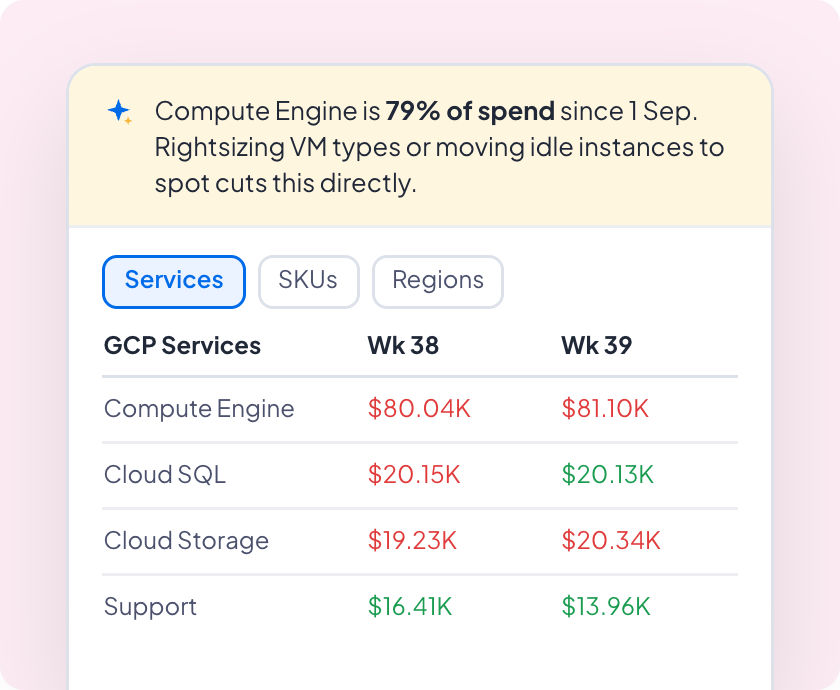
AI summary on a GCP services cost report highlighting the biggest share of spend
AI summaries for recommendations

Every recommendation, summarised

Plain-language notes on the impact, effort and risk behind each recommendation, so owners can decide quickly.
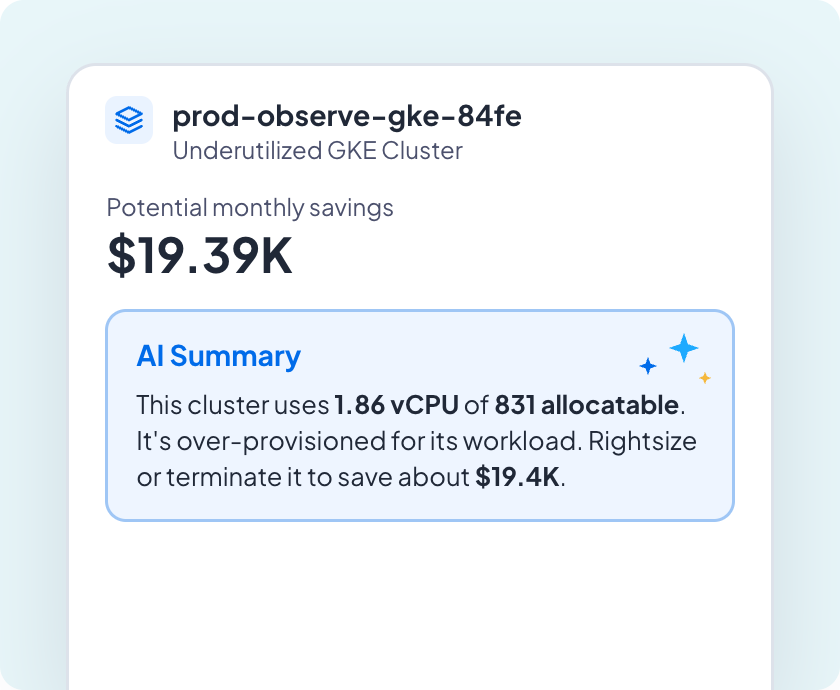
AI summary on a GKE cluster recommendation showing potential monthly savings
AI-driven anomalies

Anomalies caught before the invoice

Models learn your normal spend patterns and flag unusual spikes with the likely cause attached.
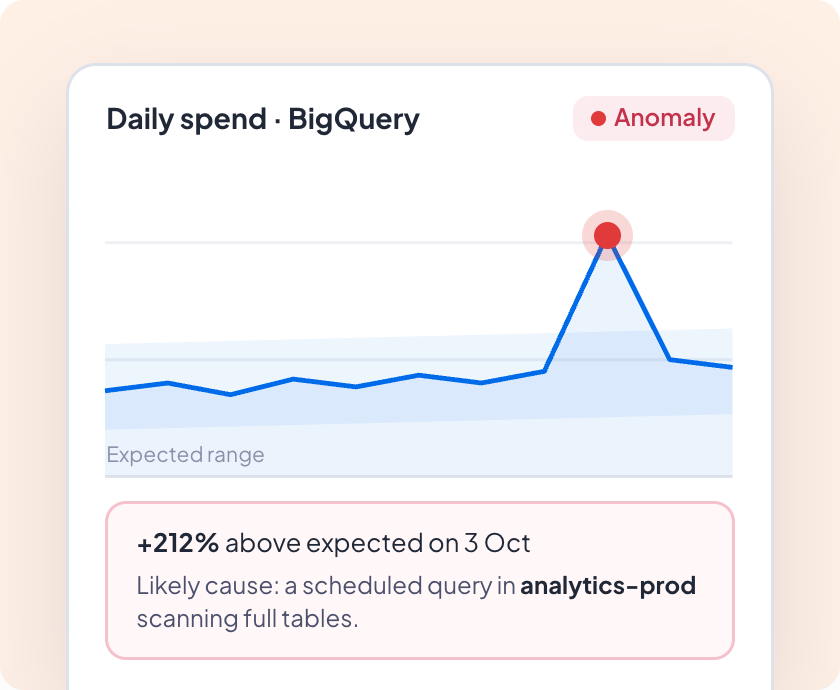
BigQuery daily spend chart with an AI-flagged anomaly and its likely cause
Coming soon

An always-on agent that comes to you

You won't need to ask. The agent will watch your accounts and tell you when spend changes, new savings appear or a commitment is about to expire.
Spend changesSpikes and drift
New savingsAs they appear
CommitmentsBefore they lapse
Book a Demo
Economize always-on agent feed flagging a BigQuery spend spike, new savings and an expiring commitment
Thank you! Your submission has been received!
Oops! Something went wrong while submitting the form.

Connect your cloud seamlessly in 5 minutes, at no cost.

Link AWS, GCP or Azure and Economize AI starts answering questions about your spend the same day.
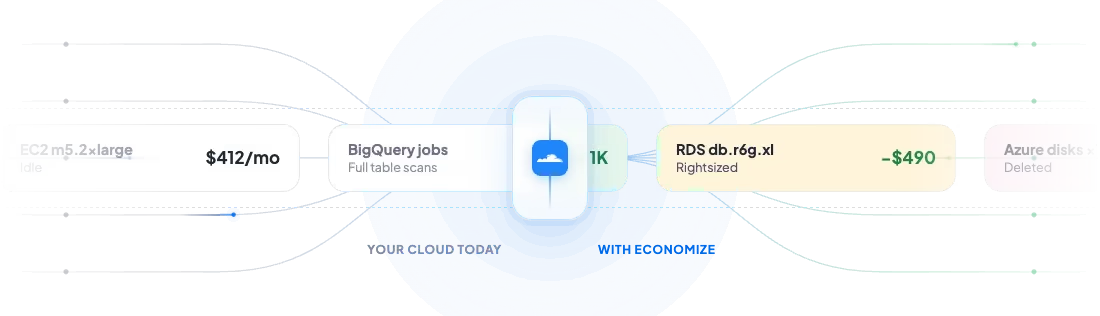
Cloud resources like idle EC2 and BigQuery jobs flowing through Economize and coming out rightsized with monthly savings